Certified Analytics Professional Certification brought to you by INFORMS
Complete Your Recertification Application
Your Recertification Application status will remain “In Progress” until you click the “Submit” button. Once submitted its status will change to "Under Review".
Step 1: A new Recertification Application is automatically attached to your Prolydian account when you pass your exam, or your previous recertification is completed.
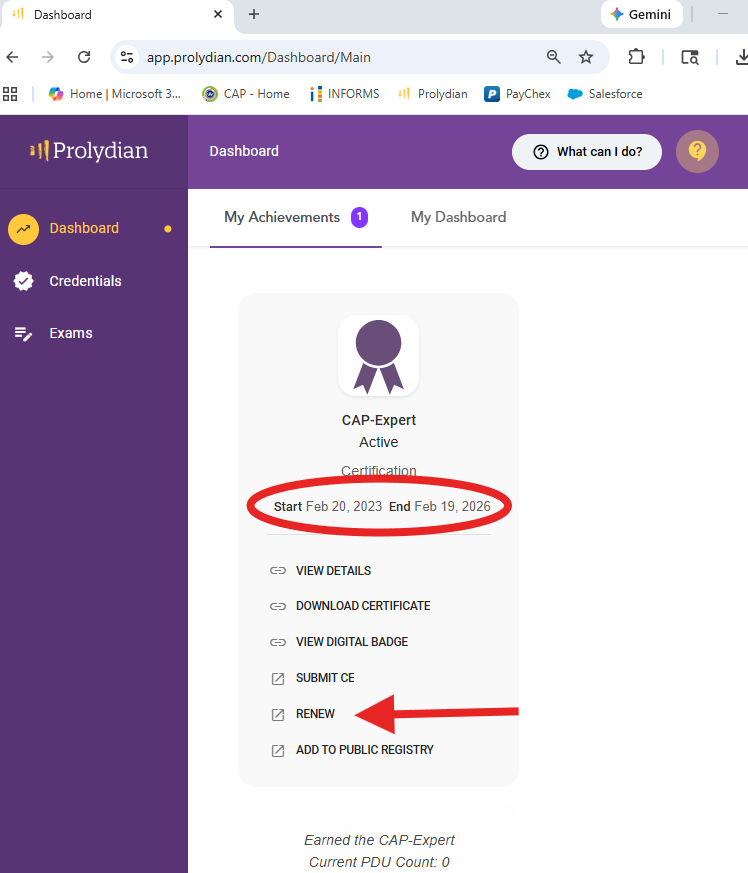
Step 2: Access your Recertification Applications from your Dashboard by clicking on Renew under your CAP-Expert.
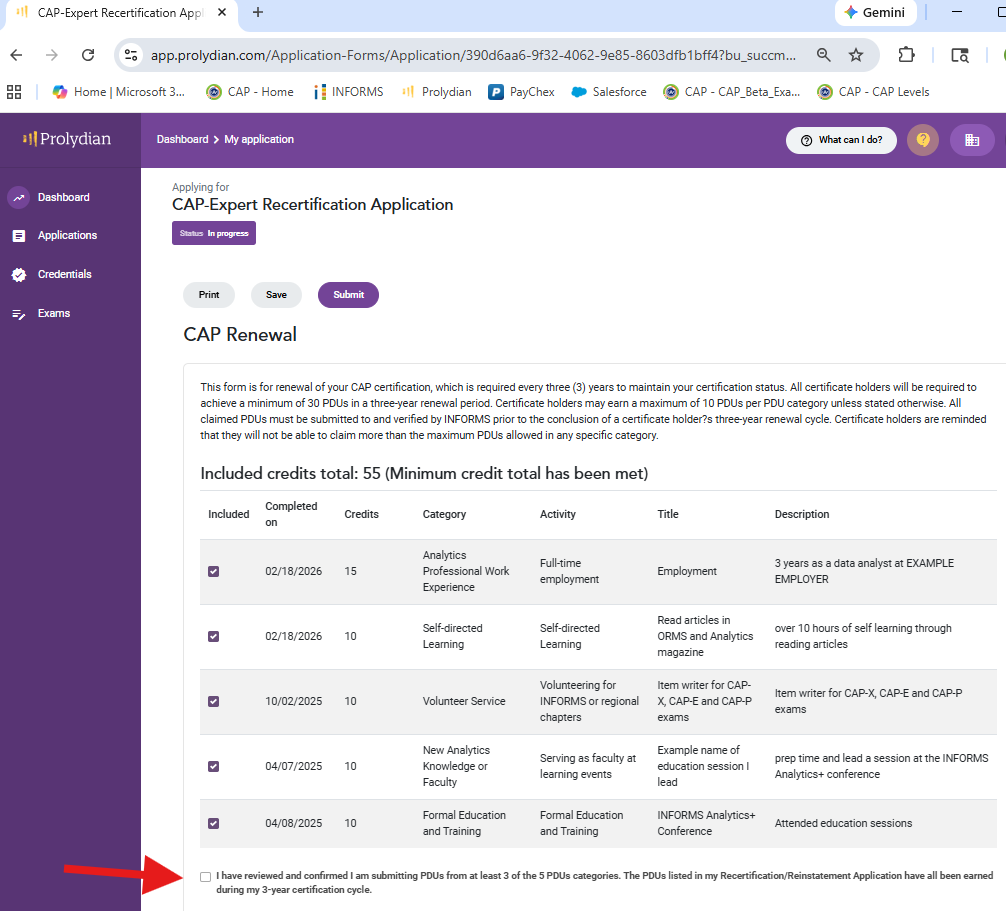
Step 3: Select the approved PDUs you want calculated into your renewal. A minimum of 30 PDUs are required for renewal. Only select PDUs with start and end dates within your certification cycle. Then attest you have entered PDUs in at least 3 of the 5 PDU categories.
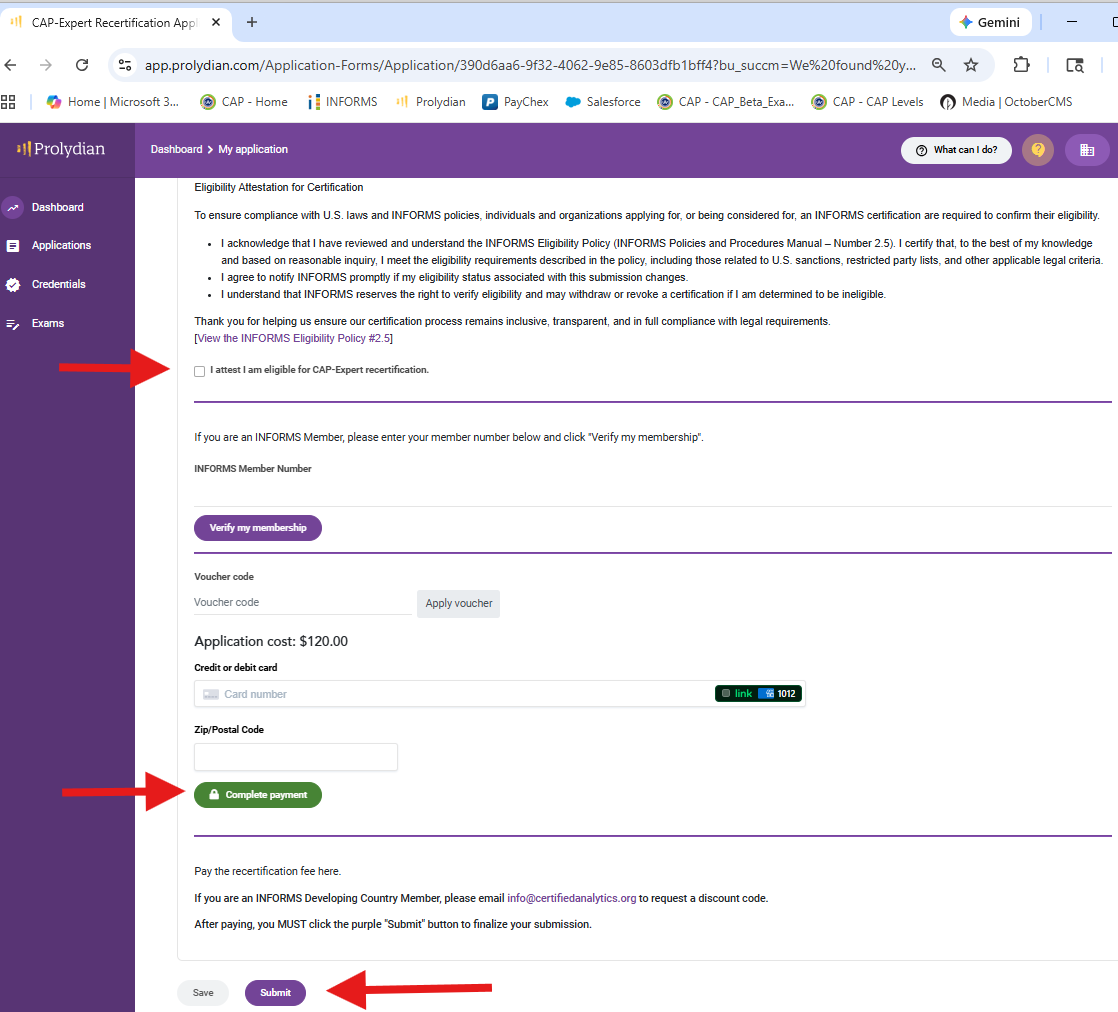
Step 4: In the next part of the recertification application please review and attest you meet the eligibilty requirement. If you are an INFORMS member (paid dues) you may enter your information to receive member discount on recertification/reinstatement fees. Enter your payment information. After payment click Submit.